
FREE · 브라우저 확장 프로그램
긴 페이지 빠르게 훑어보기
질문
이 페이지를 요약하고 핵심 내용을 나열해 주세요.
결과
읽고 있는 페이지 옆에서 간략한 요약과 유용한 다음 단계를 제공합니다.
Everything Caiioo can do — coding and native files, Computer Use, the live web, and the integrated tools that make one assistant useful across all of it.
페이지를 읽고, 시트에 리드를 추가하거나, 폴더의 파일을 수정하세요.
FREE · 브라우저 확장 프로그램
질문
이 페이지를 요약하고 핵심 내용을 나열해 주세요.
결과
읽고 있는 페이지 옆에서 간략한 요약과 유용한 다음 단계를 제공합니다.
Pro · 연결된 앱
질문
이 문의 이메일들을 읽고 추가할 행을 보여준 다음, 리드 스프레드시트를 업데이트하기 전에 제 검토를 기다려 주세요.
결과
제안된 행을 검토한 후 Google Sheet에 새 리드가 입력됩니다.
데스크톱 · 연결된 폴더
질문
launch-brief.md를 읽고, 요약을 다듬은 뒤 수정된 사본을 저장하세요. 원본은 유지하세요.
결과
검토할 준비가 되도록 연결된 폴더에 저장된 수정된 마크다운 파일.
A reference overview of every Caiioo capability, with links to the user-guide page where each is documented in depth.
Caiioo works with every major AI provider. Add keys for Anthropic Claude, OpenAI GPT, Google Gemini, xAI Grok, Mistral, Perplexity, Meta Llama, local Ollama, or OpenRouter (which brokers 500+ models under a single key). Switch models mid-conversation without losing context. You pay the provider directly — Caiioo never brokers, proxies, or marks up tokens.
Provider setup guide →Caiioo ships with built-in tools for web browsing, AI-powered web search, Google Workspace (Gmail, Drive, Calendar, Docs, Sheets, Slides), image generation, calculations, and more. Any Model Context Protocol (MCP) server extends the tool palette without code changes. Any tool that can write, modify, send, or delete data requires explicit approval by default; read-only tools run without interruption. Every tool call — read-only or not — produces an auditable trail.
Tools guide →Caiioo works directly in your files and code. Through the desktop app it reads, edits, and patches files in place, searches whole folders, runs shell commands in a sandbox, and uses language-server intelligence to find real definitions and references rather than text matches. Your files stay where they live — nothing is copied into a second store.
Tools guide →Caiioo can operate desktop applications and web interfaces the way you do: reading the screen, clicking, and typing — always with your permission and under your supervision, with approval controls on every action. Rolling out now on desktop.
Tools guide →Slate is Caiioo's built-in editor that combines a Monaco code editor with a TipTap rich-text surface. The AI writes and edits artifacts directly in Slate; you review, revise, and accept changes without copying and pasting between apps. Artifacts persist across threads and sync to whichever device you're working on.
Slate guide →Modes are pre-configured personalities with their own system prompt, default model, tool selection, and UI. Caiioo ships with General, Workplace, and LuxDeal modes, and you can author your own. Teams can publish locked modes to enforce consistent AI behavior across every member without governance policies being bypassed.
Modes guide →Skills are saved prompt templates and multi-step workflows. Invoke them from a command palette to run a recurring task — a weekly report, a code review rubric, a translation workflow — without rewriting the same prompt every time.
Skills guide →Caiioo supports speech-to-text dictation and text-to-speech output across every platform, with configurable voices and languages. Push-to-talk and hands-free modes are both supported.
Voice guide →Variables inject user context — your name, role, expertise, preferences, active project — into every prompt automatically. Variables are scoped per-mode or globally, and custom variables can be defined by the user or the workspace admin.
Variables guide →Conversations, attachments, API keys, and tool configurations are stored on your device by default. Caiioo is not an AI data processor: we never see your prompts, responses, or keys. No DPA is typically required for enterprise adoption because Caiioo does not process personal data on your behalf under GDPR Article 28.
Privacy & data guide →Optional end-to-end encrypted sync keeps conversations, modes, skills, and settings consistent across macOS, iOS, Windows, Linux, Android, and your browsers. Keys stay on your devices — the sync server never decrypts your data.
Private sync guide →Caiioo is available as a Chrome extension, Edge extension, Safari extension, a native macOS and iOS app (with EventKit integration), a native Android app (with CalendarContract integration), and a Tauri-based desktop app for Windows and Linux. Settings and threads move with you.
Platform guide →The Caiioo public API lets other applications query threads, invoke skills, and access user-approved tools programmatically. Every request is authenticated per-user and subject to the same local-first, BYOK boundaries as the apps.
Public API guide →







대화 도중에 Claude, GPT, Gemini, Grok, Llama, Mistral, Perplexity를 자유롭게 전환하세요. 설정과 문맥은 그대로 유지되며 특정 업체에 종속되지 않습니다. 신규 모델은 출시 후 몇 시간 내에 바로 사용할 수 있습니다.
설계 단계부터 기본적으로 적용된 진정한 프라이버시와 보안. 대화, 설정, 개인화 정보가 로컬에 저장됩니다. 대화를 통해 생성된 사용자 및 업무 방식에 대한 인사이트는 오직 사용자의 소유이며, 기기에 저장되어 어떤 AI 모델과도 함께 사용할 수 있습니다. 개인화 정보의 종속이 없습니다. 데이터 보관 정책이 명확하게 표시되므로 직접 선택할 수 있으며, 대부분의 책임감 있는 제공업체는 API를 통해 데이터 보관 제로 옵션을 제공합니다.


Caiioo는 Google Workspace에 직접 연결됩니다. 자연스러운 대화를 통해 이메일을 검색 및 요약하고, Drive에서 파일을 찾고, Docs를 읽고 쓰고, Sheets를 분석 및 업데이트하며, Calendar 일정을 관리할 수 있습니다. Google의 네이티브 AI 기능과 함께 또는 대신 사용하여 Google 서비스의 개선 사항을 활용하는 동시에 모든 AI 모델에 걸친 Caiioo의 다재다능함을 누려보세요.
다른 AI 앱은 비용 절감을 위해 사용자의 컨텍스트를 몰래 잘라냅니다. Caiioo를 사용하면 추가하는 모든 정보가 AI에 의해 고려되며, 모델의 전체 용량이 사용될 때까지 요약되지 않습니다. 그 결과 세부 사항에 대한 주의력이 향상되고, 환각 현상이 줄어들며, 망각이 적어집니다. 스마트한 설계로 손실 없이 비용을 절감합니다.
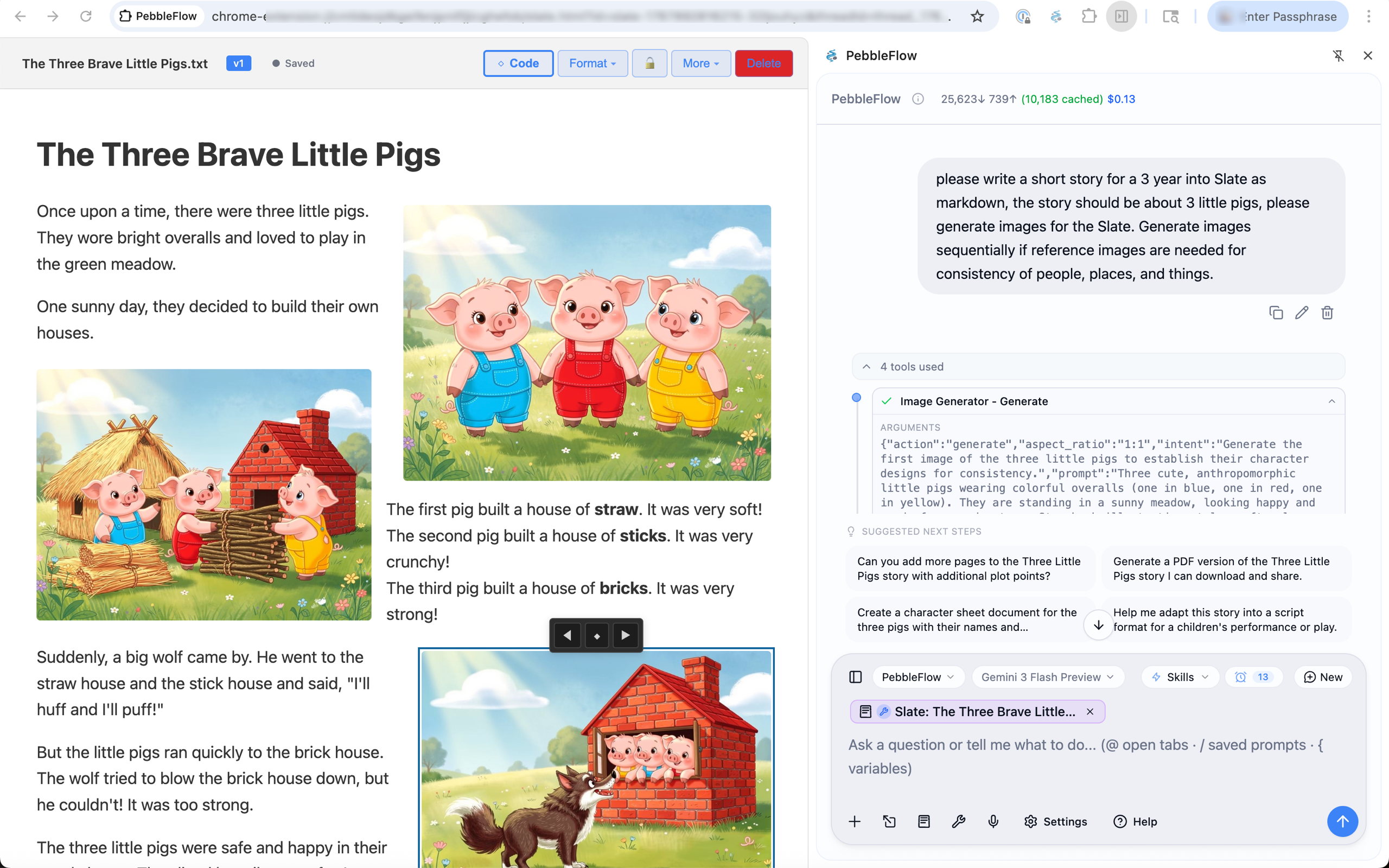
강력하게 결합되는 도구 플랫폼: 스프레드시트를 개인화된 이메일로, 사진을 Slate의 삽화가 담긴 이야기로, 웹 리서치를 완성도 높은 초안으로, 지식 베이스를 즉각적인 답변으로 변환합니다. 끊임없이 추가되는 새로운 기능으로 조합은 무한합니다.
광고 콘텐츠에 토큰과 AI 사고력을 낭비하지 마세요. Caiioo의 내장 광고 차단 기능은 광고가 AI에 도달하기 전에 제거하여 대화가 중요한 내용에 집중되도록 유지합니다. 광고가 포함되어야 하나요? 언제든지 끌 수 있습니다.
Caiioo에게 "~를 수행하는 에이전트를 만들어줘"라고 말하기만 하면 고유한 시스템 프롬프트, 선호하는 도구 및 개인화된 컨텍스트 변수를 갖춘 맞춤형 모드인 에이전트를 구축해 줍니다. 직접 수정하거나 AI에게 계속 요청하여 반복 개선할 수 있습니다. 그 결과 더 높은 정확도로 일관되게 더 나은 결과를 생성하는 재사용 가능한 에이전트가 탄생합니다.
고유한 페르소나, 도구, 컨텍스트를 가진 전문 AI 에이전트를 만드세요. 고객 지원, 글쓰기 코치, 코드 리뷰어 등 각 작업에 최적화된 에이전트를 구축할 수 있습니다.
효과적인 프롬프트 패턴을 재사용 가능한 스킬로 저장하세요. 매번 프롬프트를 새로 작성할 필요 없이 클릭 한 번으로 검증된 워크플로우를 실행합니다.
에이전트에게 특정 웹사이트와 앱에 대해 가르치세요. Caiioo는 도구를 탐색하는 방법을 기억하므로 상호작용이 반복될수록 AI가 더 똑똑해집니다.
이름, 프로젝트 세부 정보, 고객 정보 등 동적 매개변수를 정의하여 모든 프롬프트에 자동 삽입하세요. 동일한 에이전트가 수동 편집 없이도 다양한 상황에 적응합니다.
The AI's blank canvas — virtually unlimited creative potential
Slate is where human and AI creativity merge. More than an editor — it's a runtime for co-creation. Start an idea and let AI finish it. Or let AI generate a draft and refine it yourself. Iterate back and forth on documents, code, websites, interactive games, and data visualizations. Everything runs live in your browser.
OCR로 PDF를 처리하고, 변경 내용 및 메모가 포함된 Word 문서를 분석하며, 스프레드시트에서 데이터를 추출합니다.
AI가 글을 검토하고 제안하는 편집 내용을 투명하게 확인하고 수락하세요. Word 문서의 교정 내용과 메모를 처리하고 적절한 수정안까지 제안받을 수 있습니다.
모든 프로그래밍 언어에 대한 구문 강조(Syntax Highlighting)를 지원합니다. AI의 도움을 받아 문서, README 파일 또는 기술 사양서를 작성하세요.
웹사이트 및 웹 앱 목업을 제작하고 즉석에서 편집하세요. HTML을 미리 보고 AI의 제안에 따라 반복적으로 개선할 수 있습니다.
Whatever the AI can imagine, it can build and show you instantly.
These interactive demos were built entirely in Slate
Unified Agenda Dashboard
Your complete view of what's coming up — work and personal calendars, reminders, and tasks from Google, Apple, and Caiioo, all in one simple dashboard with desktop alerts. AI-powered scheduling helps you find time, propose meetings, and stay organized.
One dashboard for everything on your schedule — powered by AI that knows how to find time when you need it.
Real prompts that showcase tool interoperability. Each example shows what you'd type and what the AI does behind the scenes. Always have a quick reference to benchmarking scores on the latest models that you can switch to at any time!.
Boost productivity with AI that integrates with your professional tools
“Summarize this week's sales emails and update the pipeline spreadsheet with any new leads”
What happens: Reads your Gmail inbox filtering for sales-related threads, extracts key information (company names, contact details, deal sizes), then opens your Google Sheets pipeline and adds new rows with the extracted data. You get a summary of what was added.
“Find a 30-minute slot this week for a team sync and draft the calendar invite”
What happens: Analyzes your Google Calendar for availability, identifies free slots during business hours, suggests optimal times, and drafts a calendar event with a professional description. One click to send.
“Research our competitor's product and write a competitive analysis”
What happens: Uses Perplexity deep research to find recent news, product pages, and analyst coverage. Visits competitor websites to gather screenshots and pricing. Creates a comprehensive analysis document in Slate with key findings and strategic implications.
“Turn my meeting notes into a polished document and share it with the team”
What happens: Takes your rough notes (from Slate, a file, or pasted text), structures them into a professional document with sections, action items, and key decisions. Creates a Google Doc and shares it with specified team members.
“Translate this training slide deck to Tagalog matching my tone and style, and identify any unintended cultural references”
What happens: Analyzes your existing documents to learn your communication style and tone. Translates the slide content to Tagalog while preserving that voice. Researches cultural context to flag idioms, examples, or imagery that may not resonate—or could unintentionally offend—in Filipino culture, suggesting culturally appropriate alternatives.
“Review this collaborative Google Doc with all the suggested edits and comments. Summarize the key outstanding issues and help me resolve stakeholders' questions and concerns, researching if necessary.”
What happens: Opens the Google Doc and reads through all content, suggested edits, and comment threads. Identifies patterns in feedback, groups related concerns, and flags unresolved discussions. For technical or factual questions from stakeholders, uses Perplexity to research answers. Produces a prioritized summary with suggested responses you can paste directly into comment replies.
“Summarize the threads on this Slack page and help me understand what everyone is talking about. Get me up to speed.”
What happens: Reads the visible Slack threads in your browser, identifies the key topics and participants, and summarizes each conversation thread. Highlights decisions made, action items assigned, questions still pending, and any tensions or blockers mentioned. Gives you a quick briefing so you can jump into the conversation informed.
“Help me understand how to use this new SaaS app that procurement bought. I can't figure out how to use it.”
What happens: Takes screenshots of the app interface you're looking at, identifies the product, and searches for official documentation, tutorials, and user guides. Walks you through the UI elements visible on screen, explains what each section does, and answers your specific questions about how to accomplish tasks—like having a patient coworker show you the ropes.
“Can you review all of this API documentation for this SaaS app and create a condensed developer guide on how to implement the integration?”
What happens: Navigates through the API documentation pages, reads authentication flows, endpoint references, and example code. Distills the essential information into a focused implementation guide—covering auth setup, key endpoints you'll actually use, common patterns, error handling, and gotchas. Saves the guide to Slate as a living document you can reference and update as you build.
Personal tasks made effortless with AI that understands context
“Help me find a replacement for this shirt [uploads photo]”
What happens: Analyzes your uploaded image to identify the shirt style, color, pattern, and fabric. Searches multiple retailers, opens product pages, compares prices and reviews. Returns a curated list with links—all tabs grouped for easy browsing or cleanup.
“What can I make for dinner with chicken, rice, and whatever vegetables are in season?”
What happens: Searches for seasonal vegetables in your region, finds recipes matching your ingredients, checks nutritional info, and presents options with cooking times. Saves your favorite recipe to Slate for future reference.
“Plan a long weekend trip to somewhere warm in March under $1500”
What happens: Researches destinations with good March weather, compares flight prices from your nearest airports, finds highly-rated hotels within budget, and creates an itinerary. Saves everything to a Slate document you can edit and share.
“My dad's birthday is next week—he likes woodworking and jazz. Gift ideas under $100?”
What happens: Searches for highly-rated gifts in those categories, checks current prices and availability, reads reviews, and presents a ranked list with pros/cons. Opens product pages in grouped tabs so you can browse and buy easily.
“Are raisins okay for dogs? Please research and cite sources to credible articles so I can verify. Then save a list of common toxic foods to my notes so I don't forget.”
What happens: Uses Perplexity deep research to find veterinary sources, academic studies, and trusted pet health organizations. Returns a clear answer with inline citations linking to the original sources—ASPCA, veterinary journals, poison control databases—so you can verify the information yourself. Then compiles a quick-reference list of common toxic foods for dogs and saves it to Apple Notes for easy access later.
“Does my health insurance cover physical therapy? I need to understand my coverage before booking an appointment.”
What happens: First uses Perplexity to research how insurance typically handles PT coverage—common limits, pre-authorization requirements, in-network vs out-of-network rules. Then navigates to your insurance portal (you're already logged in via saved session), finds your specific plan details, checks your remaining deductible, and summarizes your actual coverage limits and any steps needed before your first visit.
Seamlessly coordinate when life and work collide
“My partner asked when I can go to the mountains with them, but I have a weekend meeting coming up and several things to finish. Check all my calendars, find a few available times I can text them, then block those off so I don't get double-booked.”
What happens: Queries both your work and personal calendars (Google, Apple) to understand your full schedule. Identifies conflicts and commitments across all sources. Finds windows that work around your obligations, formats them nicely for texting, and creates placeholder events to protect your availability.
“I need to schedule a dentist appointment—they're only open weekdays 9-5. When am I actually free for an hour?”
What happens: Checks your work calendar for meetings, your personal calendar for commitments, and finds genuine gaps during business hours. Accounts for commute time and buffer between meetings. Presents options ranked by convenience.
“My kid's school play is Thursday at 2pm. Make sure I don't schedule anything that conflicts and remind me to leave by 1:30.”
What happens: Creates a blocking event on your work calendar, sets up a Caiioo reminder for departure time with desktop notification, and can even draft an out-of-office message for that window if needed.
“I'm taking PTO next Friday through the following Wednesday. Block it everywhere.”
What happens: Creates all-day events across your work and personal calendars, marks you as unavailable, accounts for time zones, and adds reminders to prep handoffs before you leave.
Bring ideas to life with AI-powered creative tools
“Generate a logo concept for my coffee shop called 'Morning Ritual'”
What happens: Discusses your vision, style preferences, and brand personality. Generates multiple logo concepts using FLUX or Gemini image generation. Iterates based on your feedback until you have something perfect. Saves finals to Google Drive.
“Help me write a blog post about sustainable living and optimize it for SEO”
What happens: Researches trending topics in sustainability, analyzes top-ranking articles for keyword patterns, drafts a comprehensive post in Slate with proper headings and meta descriptions. Export when ready to publish.
“Design a mood board for my living room renovation [uploads current photo]”
What happens: Analyzes your current space, researches interior design trends matching your style, generates concept images showing potential looks, and compiles everything into a visual presentation in Slate with product links.
“Write a script for a 60-second product video for my Etsy shop”
What happens: Visits your Etsy shop to understand your products and brand voice, researches effective short-form video scripts, writes multiple versions with shot suggestions, and saves to Slate for easy editing.
Deep dives powered by multiple AI models and comprehensive search
“Explain quantum computing to me like I'm a software developer, with code examples”
What happens: Uses Perplexity academic search for foundational concepts, finds practical tutorials, generates code examples in Python using Qiskit, and creates an interactive learning document in Slate you can experiment with.
“Analyze this company's financials and compare to industry benchmarks [provides ticker]”
What happens: Pulls financial data from SEC filings and financial sites, calculates key ratios, researches industry averages, and creates a detailed analysis in Google Sheets with charts. Adds commentary on strengths and concerns.
“Research the pros and cons of forming an LLC vs S-Corp for my consulting business”
What happens: Uses Perplexity to find current tax implications, legal requirements, and expert opinions. Creates a comparison table with your specific situation in mind, noting state-specific considerations. Saves research to Slate for reference.
“Help me debug this code and explain what's wrong [pastes code]”
What happens: Analyzes your code for logical errors, syntax issues, and anti-patterns. Searches for similar problems and solutions on Stack Overflow. Provides a corrected version in Slate with inline comments explaining each fix.
Every tool below becomes more powerful based on the AI model you choose. Use the latest Claude, GPT, Gemini, or Grok—often within hours of release. Switch models mid-conversation. The same tools, dramatically different results.
Caiioo operates in your browser and on your desktop, logged in as you. This unlocks the ability to interact with SaaS applications, authenticated websites, and online services that require login—while you supervise or multitask.
You stay in control with flexible approval settings: require confirmation for every action, auto-approve safe operations, or customize per conversation. The AI proposes, you approve.
Global & Per-Conversation Controls
Set default approval rules globally, override for specific tasks
Works With Your Logged-In Sessions
Access authenticated apps, dashboards, and services you're signed into
Stop Anytime
One click to halt any operation immediately—you're always in control
Run Multiple Agents
Up to 5 concurrent agents, each in its own tab group
Supervise or Multitask
Watch actions in real-time, or let it work while you focus elsewhere
Full Audit Trail
Every action logged—see exactly what was done and when
Built-in tools that work seamlessly with any AI model. The agent dynamically selects the right tools for each task.
Work directly in your real files and repositories through the desktop app—no copies, no uploads.
Operates desktop and web interfaces the way you do—clicking, typing, and reading the screen—under your supervision.
Full browser automation—search, navigate, screenshot, interact with elements, and extract data from any website.
AI-powered search with citations, academic papers, and deep multi-step research.
Create, read, and edit Google Documents with full formatting support.
Read, write, and analyze spreadsheet data with formulas and charts.
Search, read, draft, and send emails with full thread context.
Search, browse, and manage files across your entire Drive.
View, create, and manage calendar events and find free time.
Create and edit presentations with text, images, shapes, and layouts.
Generate and edit images with FLUX.2, Gemini, Seedream, and other models.
Create, search, and read Apple Notes on macOS with full sync.
Manage reminders and to-do lists natively on macOS.
Native macOS calendar integration via EventKit for personal and work calendars.
Precise mathematical calculations, unit conversions, and financial math.
Search across your conversation history and stored context for relevant information.
Deep extraction and understanding from PDFs and documents, both online and fully offline.
Shipping features that are still evolving. Perfect for experiments, learning, prototyping, and creative exploration.
Caiioo answers on the apps your contacts already use
People message you on WhatsApp or Telegram, and Caiioo answers them — in their channel, in real time. From any conversation, the agent can also send messages as a tool ("text the team group about the meeting"). You stay in the loop: watch every exchange, chime in with guidance, or take over completely at any time. Connect services in Settings > Messaging.
WhatsApp, Telegram, iMessage, and more — all in one place
AI drafts and sends contextual responses on your behalf
Jump in anytime — guide the AI, edit its draft, or take over completely
AI recognizes when a human touch is needed and alerts you
Ask questions, run real calculations, co-create with AI
Ask questions, generate 3D scenes, co-create with AI
Extend Caiioo's capabilities with MCP servers, raw API calls, and custom integrations.
Connect to any MCP server over HTTP/SSE. Access remote tools and services from the browser extension without a desktop app.
Run MCP servers locally via stdio protocol. Full filesystem access, database connections, and system-level integrations.
Call any REST API directly from conversations. Configure endpoints with authentication and let the AI interact with external services.
Execute JavaScript code in the page context. Interact with DOM elements, extract data, and perform custom automation.
Import OpenAPI specifications to automatically create tools. Turn any API into AI-callable functions.
Execute shell commands on your local machine. Automate system tasks, run scripts, and integrate with CLI tools.
Every aspect of Caiioo can be configured to match your workflow. From AI model selection to voice preferences.
Connect to multiple AI providers and switch models freely.
Unlock deep reasoning for complex problems.
Pre-configured personalities with specialized tools.
Speak to Caiioo and hear responses aloud.
Make Caiioo look exactly how you want.
Teach Caiioo about you for better results—without storing your details in the cloud or having them scanned for ads.
Save and reuse prompt templates.
Fine-grained control over what the AI can do.
Your data, your control. Real-time sync across devices with end-to-end encryption.
Every use case above isn't just one AI call—it's multiple tools working together, different models chosen for their strengths, and browser automation that acts on your behalf. You see every step, every tool call, every decision.
Research → Analyze → Create → Save. Tools pass context seamlessly.
Claude for reasoning, Gemini for vision, Perplexity for search—each task gets the best model.
See the chain of thought, tool calls, costs, and why it succeeded or failed.
Install Caiioo, bring your API keys, and start with any prompt above.
Everything people ask about Caiioo — the privacy-first work platform, released under the name PebbleFlow until May 2026.
Caiioo is a powerful, privacy-first work platform — an agentic assistant and chat in a side panel, with direct access to native files through its desktop app, Computer Use for desktop and web interfaces, and native access to the live web. It works with any major AI provider — Anthropic Claude, OpenAI GPT, Google Gemini, xAI Grok, Mistral, Perplexity, Meta Llama, local Ollama, OpenRouter, and hundreds more — while conversations, attachments, and API keys stay on your own device. Caiioo is made by Six Cailloux, LLC.
No. Caiioo is AI software — a privacy-first work platform made by Six Cailloux, LLC in Portland, Oregon. Cainiao is a package-delivery and logistics company. The names look similar but the two companies are entirely unrelated. If a search engine corrected "Caiioo" to "Cainiao", this is the page you were looking for.
No. Caiioo does not train, host, or operate any AI models. When you send a prompt, it goes directly from your device to whichever AI provider you chose with your own API key. Caiioo is not in the data path for your AI usage and never retains your prompts, responses, or keys on its servers.
Free users can try Caiioo with a limited free tier via OpenRouter. For production use, you bring your own API key for whichever provider you prefer (Anthropic, OpenAI, Google, xAI, Mistral, Perplexity, OpenRouter, local Ollama, or any other supported provider). You pay the provider directly — Caiioo does not mark up token costs.
BYOK stands for Bring Your Own Key. Instead of paying Caiioo for AI inference, you supply your own API key for whichever AI provider you use. Your key and your conversations never leave your device. This architecture means Caiioo is not a data processor for your AI content and typically does not require a Data Processing Agreement (DPA) under GDPR Article 28.
Caiioo runs on macOS (native Swift app), iOS and iPadOS (native Swift app), Android (native Kotlin app), Windows and Linux (Tauri desktop app), and as a browser extension for Chrome, Microsoft Edge, and Safari.
Any model exposed by any supported provider. Native integrations cover Anthropic Claude, OpenAI GPT, Google Gemini, xAI Grok, Mistral, Perplexity, Meta Llama, and local Ollama. Connecting OpenRouter gives access to 500+ additional models under a single key. Caiioo adds new models to its UI within hours of release.
Caiioo has a free tier with access to built-in tools and a limited number of free-model messages via OpenRouter. Paid plans (Pro, Teams, Enterprise) unlock premium tools, higher limits, and team features. Because Caiioo is BYOK, the token cost of AI usage is separate and paid to whichever AI provider you choose.
Yes. Caiioo Teams provides centralized billing, admin-published modes with locked configurations, and seat management. Because the BYOK architecture means Caiioo is not a data processor for AI content, enterprise adoption typically does not require a DPA, SOC 2 Type II prerequisite, or GDPR Article 28 obligations against Caiioo itself.
Partially. Caiioo stores all your conversations, attachments, modes, and settings locally, so you can browse your history offline. For live AI inference you need a connection to your chosen AI provider, unless you use a local provider like Ollama — in which case Caiioo works fully offline.
Caiioo is built by Six Cailloux, LLC — an independent software company. Caiioo is not affiliated with, endorsed by, or sponsored by OpenAI, Anthropic, Google, Meta, xAI, Perplexity, or any other AI provider listed in the app.
